
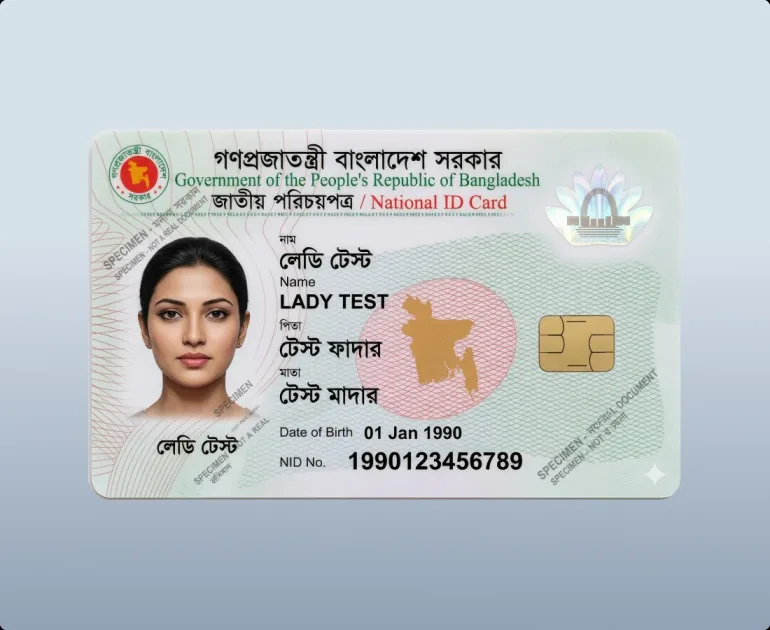
Account verification, formally referred to as Know Your Customer (KYC), is an essential international compliance standard designed to protect player accounts from unauthorized access, prevent identity theft, and combat financial fraud. In Bangladesh, where transactions rely heavily on personal mobile financial services like bKash and Nagad, completing your identity verification ensures unhindered withdrawal processing, higher transaction limits, and rapid account recovery if your device is ever misplaced. This guide outlines the documentation requirements, image quality standards, and step-by-step submission processes for a smooth verification experience.
Why Account Verification Is Mandatory
Some players wonder why an online entertainment platform requires government-issued identity documents. Understanding the regulatory and security foundations behind KYC helps clarify why these procedures protect you:
- Preventing Fraud and Identity Theft: Verifying that the account holder matches the legal identity registered to the associated bKash or Nagad wallet prevents malicious actors from hijacking accounts or withdrawing funds to unauthorized wallets.
- Underage Gambling Prevention: Strict international licensing regulations prohibit access to anyone under 18 years of age. Identity verification provides conclusive proof of legal age.
- Anti-Money Laundering (AML) Compliance: As outlined in our Anti-Money Laundering Compliance documentation, international gaming licenses require operators to maintain verified customer records to prevent illicit financial activities.
- Unlocking Higher Transaction Limits: Fully verified accounts benefit from elevated daily and monthly withdrawal thresholds and expedited cashier processing times.
Acceptable Identity Documents for Bangladeshi Players
The compliance department accepts several forms of official government-issued identification. You only need to provide one valid document from the list below:
Bangladesh National Identity Card (NID or Smart NID)
The National Identity Card is the preferred and most rapidly processed document for Bangladeshi residents:
- Both older laminated NID cards and newer Smart NID cards are fully accepted.
- You must submit clear, color photographs of both the front side (displaying your photo, legal name, and NID number) and the reverse side (displaying your address and barcode).
- The card must be currently valid and not physically damaged to the point where text or photos are illegible.
Valid Bangladeshi International Passport
A machine-readable passport (MRP) or electronic passport (e-Passport) is another fast-track verification document:
- Submit a clear photograph of the primary identification page containing your photograph, full name, passport number, date of birth, and expiration date.
- The passport must have at least one month of remaining validity at the time of submission.
Official Driving License
A plastic Bangladesh driving license issued by the Bangladesh Road Transport Authority (BRTA):
- Submit clear color photographs of both the front and back of the license.
- Ensure the license number, photograph, and expiration date are sharp and readable.
Technical Standards for Image Submissions
The majority of verification delays result from poor-quality document photographs. Adhering to these simple photographic guidelines guarantees rapid approval on your first attempt:
| Acceptable Image Criteria | Unacceptable Criteria (Causes Rejection) |
|---|---|
| High-resolution color photo captured via smartphone | Black-and-white photocopies, scans, or screenshots |
| All four corners and edges of the card are clearly visible | Edges cropped off or fingers covering card text |
| Natural lighting with zero camera flash glare obscuring text | Strong reflections, glares, or shadows covering details |
| High contrast against a clean, flat, plain background | Blurry, out-of-focus, or pixelated low-resolution images |
| Original unaltered JPEG, PNG, or PDF format | Digitally edited, filtered, or watermarked images |
Step-by-Step Document Submission Procedure
Follow these straightforward steps to submit your verification documents securely through your player profile:
- Log into your account using your standard credentials via the Account Login and Mirror Link Portal.
- Navigate to the User Center or Profile icon located in the upper navigation menu.
- Select Account Verification or KYC from the account settings submenu.
- Select your document type from the dropdown menu (e.g., National ID Card).
- Enter your legal name and document identification number into the designated fields, ensuring the spelling matches your card character for character.
- Click Upload Front and select the prepared color photograph from your device storage.
- Click Upload Back and select the rear photograph of your card.
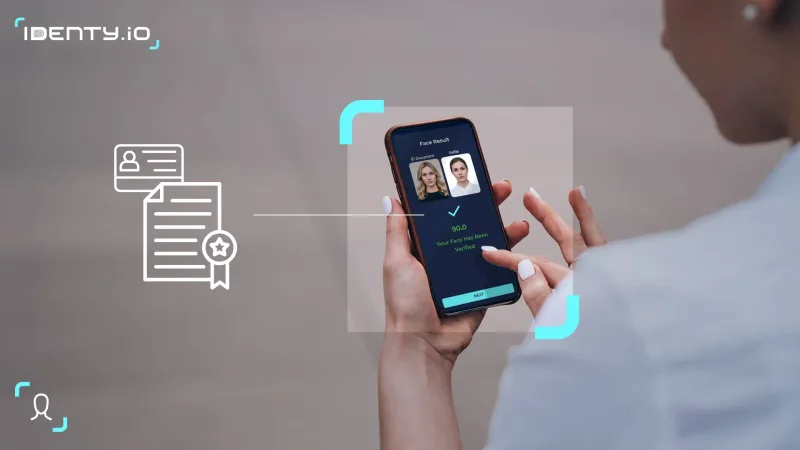
- If prompted, capture a clear "selfie" holding your identity document next to your face to confirm physical possession.
- Review your entered data carefully, then click Submit Verification.
Verification Processing Timelines and Statuses
Once submitted, your documentation enters the compliance queue:
- Standard Review Duration: Review takes between 2 hours and 12 hours under normal operational conditions.
- Peak Volume Periods: During major international cricket tournaments or regional festivals, review times may extend up to 24 hours.
- Status Updates: You can check the current status directly within your profile. A green Verified badge indicates complete approval. If additional documentation is required, an explanation will be provided along with an option to re-upload.
Related Security and Financial Walkthroughs
- Create your account properly via the Registration and Account Opening Walkthrough.
- Learn how verification impacts cashouts in the Nagad Instant Withdrawal Walkthrough.
- Review limits in the Deposit and Withdrawal Limits schedule.
- Discover regional representative support in the Verified Master Agent Directory.
- Explore all account guides within our Brand and Account Access Directory.
Common Verification Edge Cases and Resolution Procedures
Every player's documentation circumstances are unique. Below are verified protocols for handling specialized verification situations commonly encountered in Bangladesh:
Discrepancy in Name Spelling Across Bengali and English
Many Bangladeshi citizens have differences in how their names are transliterated between Bengali script and English characters (e.g., "Mohammad" vs "Md.", or "Chowdhury" vs "Choudhury"). If your registered profile uses an abbreviated format while your NID displays your full name:
- Contact the live chat support desk before uploading your documents.
- Explain the transliteration variation to the agent.
- The compliance team will cross-reference your father's name, mother's name, and date of birth to establish clear proof of identity and harmonize your account records.
Damaged, Laminated, or Faded National Identity Cards
Older laminated paper NID cards issued in Bangladesh frequently suffer from peeling plastic or faded ink around the photograph or card number. If your physical card is weathered:
- Do not attempt to alter or trace over faded text with a pen, as this will lead to immediate fraud rejection.
- Download an official digital PDF copy of your verified NID profile directly from the Bangladesh Election Commission online portal.
- Submit the original digital PDF document along with a clear photograph of your physical card to provide definitive corroborating evidence.
Address Verification When Utility Bills Are in a Landlord's Name
In Bangladesh, rental tenants frequently do not have electricity, gas, or internet utility bills issued under their own personal names. If the compliance desk requests address corroboration:
- Submit a formal bank statement or mobile banking statement (bKash/Nagad official statement) displaying your full name, registered phone number, and residential address.
- Alternatively, submit a verified rental tenancy agreement or an official municipal trade license or citizen certificate issued by your local Ward Councillor or Union Parishad office.
Security Safeguards Protecting Your Personal Data
We understand that sharing official government identity documents online requires absolute trust. Our compliance infrastructure implements the following stringent safeguards:
- Zero Third-Party Commercial Sharing: Your identity files are utilized strictly for regulatory compliance, fraud prevention, and account ownership verification. They are never monetized, traded, or shared with external commercial advertising networks.
- Restricted Internal Access: Document access is limited to vetted compliance officers who undergo rigorous background checks and operational training. Standard customer support representatives cannot download or export your identity files.
- Encrypted Cold Storage Archives: Once verified, identity documents are transferred to encrypted, air-gapped storage clusters protected by multi-factor cryptographic keys, ensuring comprehensive resilience against external cyber breaches.
Frequently Asked Questions
Small initial withdrawals may occasionally be processed without immediate KYC depending on risk assessment, but the compliance department reserves the right to request verification at any time. Completing verification proactively upon registration ensures your withdrawals are never delayed when you request larger payouts.
If you made a typographical error during initial registration (e.g., misspelling your name), contact the Customer Care and Support Channels before uploading your documents. A support agent can review your details and assist in correcting your profile name to match your official legal documentation.
No. All submitted documents are protected with 256-bit SSL encryption and stored on secure, partitioned servers accessible only to licensed compliance personnel. Your documentation is never sold, shared, or distributed to commercial advertisers or third-party marketing organizations.
Yes, official digital NID profile copies issued by the Bangladesh Election Commission are accepted, provided the PDF is submitted in full color and includes the official QR code and government verification markers.
Rejections are almost always caused by photographic defects rather than document validity issues. Common reasons include camera flash glare obscuring the document number, cropped corners, or low resolution. Simply take a fresh, clear photograph in natural daylight on a flat surface and resubmit.
Responsible Gaming Notice: Online sports wagering and casino gaming involve financial risk and may become addictive. Access is strictly limited to individuals aged 18 and older. For comprehensive player protection resources, view our Responsible Gaming and Player Protection policy.