
Encountering a delay when funding your gaming balance can be deeply frustrating, especially when an exciting cricket match or live casino tournament is about to commence. In Bangladesh, where transactions rely on mobile financial networks (bKash, Nagad, Rocket, and Upay), automated deposit reconciliation succeeds in over 98% of cases within minutes. However, occasional cellular network latency, typographical errors in reference codes, or banking maintenance can interrupt the automated flow. This comprehensive troubleshooting manual explains the root causes of deposit failures and provides exact step-by-step instructions to ensure your funds are credited safely and quickly.
Core Causes of Delayed or Uncredited Deposits
Understanding why a deposit was not instantly recognized by the automated gateway helps you identify the correct resolution pathway:
| Common Failure Point | Underlying Mechanism | Typical Resolution Window |
|---|---|---|
| Typographical Error in TrxID | Alphanumeric characters misread or pasted with trailing spaces | 5 to 10 minutes via live chat verification |
| Discrepancy in Transaction Amount | Amount sent from wallet differs from amount requested in cashier | 10 to 20 minutes via manual ledger adjustment |
| Sending Funds to an Expired Number | Receiver phone number copied during a previous session | 30 to 60 minutes via financial audit |
| Mobile Banking Gateway Latency | Cellular carrier delayed SMS confirmation and API webhooks | 15 to 30 minutes for automated network catch-up |
| Incorrect Transaction Type | Sent via "Send Money" when cashier requested "Merchant Payment" | 15 to 30 minutes via compliance review |
Step-by-Step Resolution Protocol: What to Do When Funds Are Not Credited
If more than 10 minutes have elapsed since you completed your mobile transfer and your gaming wallet balance has not updated, follow this sequential diagnostic protocol:
Step 1: Verify That Funds Were Deducted from Your Personal Wallet
Before contacting support, open your official bKash, Nagad, or Rocket mobile application and inspect your statement:
- Confirm that your wallet balance was actually debited.
- Verify that the transaction is marked as Completed or Successful in your mobile banking app. If the transaction shows as "Pending" or "Failed" within your bank app, the funds never left your bank and will automatically return to your balance according to telecom rules.
Step 2: Retrieve and Inspect the Official SMS Receipt
Locate the confirmation SMS received from your mobile banking provider. Double-check three specific elements:
- The Transaction ID (TrxID): Ensure you have the complete, exact code (e.g.,
BL89X4M21Q). - The Recipient Mobile Number: Check that the phone number you transferred funds to matches the exact number displayed in the cashier during that specific session.
- The Exact BDT Amount: Confirm that the transferred figure matches the sum entered on your deposit request form.
Step 3: Connect with 24/7 Live Chat with Prepared Evidence
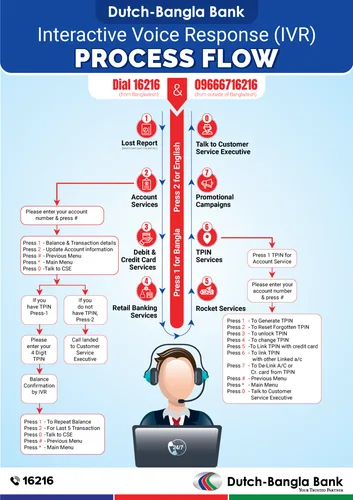
The fastest way to resolve an uncredited deposit is through the on-site live chat desk accessible via the Customer Care and Support Channels. To allow the support specialist to locate your funds immediately without repetitive questioning, present your ticket in this structured format:
Username: [Your Registered Account Username]
Deposit Method: bKash / Nagad / Rocket / Upay
Sender Mobile Number: 01XXXXXXXXX
Receiver Mobile Number: 01XXXXXXXXX
Exact BDT Amount: e.g., 2,500 BDT
Transaction ID (TrxID): e.g., BL89X4M21Q
Date and Exact Timestamp: e.g., 17 September 2026, 6:45 PM BST
Attached Screenshot: [Attach uncropped screenshot of your bank confirmation receipt]
Providing this complete data set allows the financial compliance officer to query the centralized banking gateway ledger directly, verify the incoming payment, and credit your gaming balance manually within 5 to 10 minutes.
Preventing Future Deposit Delays: Best Operational Practices
Adopt these four simple operational habits to ensure that 100% of your future deposits process smoothly through automated channels:
Always Retrieve a Fresh Receiver Number
Never save an operator's mobile banking number in your phonebook to reuse for future deposits. Mobile financial receiver accounts rotate constantly to prevent hitting national telecom transaction limits. Always initiate a new request in the cashier and copy the freshly displayed number.
Utilize Device Copy-and-Paste for TrxID Codes
Never attempt to manually type out a complex 10-character alphanumeric TrxID from memory. Typing errors (such as mistaking the number 0 for the letter O, or 8 for B) are responsible for over 70% of delayed deposit tickets. Long-press the TrxID in your banking app or SMS, copy it to your clipboard, and paste it directly into the cashier box.
Match Cashier Amounts Exactly
If you enter 1,000 BDT in the cashier, transfer exactly 1,000 BDT from your wallet. Do not add extra funds for "fees" or round up to 1,500 BDT. Automated reconciliation algorithms match incoming transfers by looking for an identical pair: exact amount + exact TrxID. Any variation triggers a manual hold.
Retain Screenshots Until Balance Updates
Always capture a clean, uncropped screenshot of your transaction confirmation screen. Store it in your photo gallery until you see your gaming wallet balance increase.
Related Financial and Troubleshooting Resources
- Complete bKash deposit tutorial in the bKash Deposit and Cashout Guide.
- Fast Nagad walkthrough in the Nagad Instant Withdrawal Walkthrough.
- Review standard caps in Deposit and Withdrawal Limits.
- Learn speed optimization in Fast Payout Optimization Tips.
- Access the full directory of banking guides in the Local Payments and Banking Methods Directory.
In-Depth Guide to Telecom SMS Delays and Network Discrepancies
A significant percentage of perceived "failed" deposits are actually caused by telecommunications network latency rather than platform cashier malfunctions:
Understanding Gateway Webhooks and Bank Confirmation Loops
When you complete a transfer in your bKash, Nagad, or Upay mobile app, the banking network executes two parallel processes:
- Internal Ledger Debit: Your personal wallet balance is decremented immediately on your phone.
- External API Webhook Notification: The banking network sends an automated digital webhook notification to the platform's payment gateway server confirming that the specified TrxID has settled.
Under heavy network congestion—such as during the final overs of an India vs. Bangladesh cricket match—the cellular network may delay dispatching this API webhook for several minutes, even though your mobile balance was debited. In these situations, the platform cashier cannot credit your gaming wallet automatically because it has not yet received cryptographic confirmation from the bank.
How to Force Manual Server Synchronization
If you suspect an API webhook delay:
- Wait 5 full minutes after sending funds before submitting a support ticket; over 80% of delayed webhooks clear automatically within this window.
- If your balance has not updated after 10 minutes, open your banking app, navigate to your transaction history, take a clean screenshot of the settled transfer receipt, and initiate contact with our 24/7 on-site live chat desk.
- Support agents have direct portal access to manually query bank clearing databases, validating your TrxID and crediting your gaming wallet on the spot.
Real-World Case Studies: Resolving Complex Deposit Discrepancies
Case 1: The Trailing Space in the TrxID
A user in Gazipur deposited 2,000 BDT via bKash. When copying the TrxID BL98X4M21Q from his SMS app, an unintended trailing space was included (BL98X4M21Q ). The cashier software rejected the code as an invalid format. After contacting live chat support, the agent identified the trailing whitespace, submitted the clean 10-character code, and credited the player's wallet in under two minutes.
Case 2: The Expired Receiver Account
A player in Rajshahi saved a bKash merchant number to her contacts from a deposit made two weeks earlier. She transferred 5,000 BDT directly to this saved number without checking the active cashier screen. Because receiver numbers rotate dynamically to manage daily financial caps, the funds were sent to an inactive corporate account. By providing her transfer receipt and TrxID to customer support, the financial operations team located the payment within the historical ledger and manually credited her balance within 30 minutes.
- The Lesson: Always copy a fresh receiver phone number directly from the active cashier screen for each new transaction.
Frequently Asked Questions
No. As long as you transferred funds to an authorized receiver number displayed in your cashier, your money is completely secure. Every digital mobile banking transaction in Bangladesh leaves an indelible cryptographic audit trail via its unique TrxID. Customer support can verify the bank ledger and credit your gaming wallet manually.
Under normal conditions, automated crediting takes between 2 and 5 minutes. If your balance has not updated after 10 minutes, it is advisable to connect with 24/7 on-site live chat support with your TrxID and transfer screenshot.
If you mistakenly sent funds to a number used during an earlier session that has since been rotated out of the active cashier, contact live chat support immediately. Provide your transaction screenshot, the recipient number, and the TrxID. The financial operations team will verify the historical merchant account and allocate your funds.
This error typically occurs if the TrxID was typed incorrectly, if extra spaces were included when copying, or if you submitted the confirmation form before the mobile banking network finalized the transfer. Re-copy the exact alphanumeric string from your SMS statement and re-submit.
Never. Legitimate platform representatives will never ask for your mobile wallet PIN or password under any circumstances. You only need to provide the public Transaction ID (TrxID) and sender phone number. Anyone demanding your PIN is an unauthorized scammer.
Responsible Gaming Notice: Online sports wagering and casino gaming involve financial risk and may become addictive. Access is strictly limited to individuals aged 18 and older. For comprehensive player protection resources, view our Responsible Gaming and Player Protection policy.